 DiskScour
Find the gigabytes of build junk on your dev machine.
A fast, native macOS disk analyzer. It finds regenerable build caches across all your projects and moves them to the Trash in one click.
Where the disk went
Your disk fills up and you have no idea where it went. On a dev machine the answer is almost always regenerable build caches: node_modules, Rust target/, .next, DerivedData, .gradle, scattered across dozens of projects and git worktrees.
They add up to tens of gigabytes you can delete and recreate any time. Finder won't show you that, and du won't tell you which ones are safe to delete.
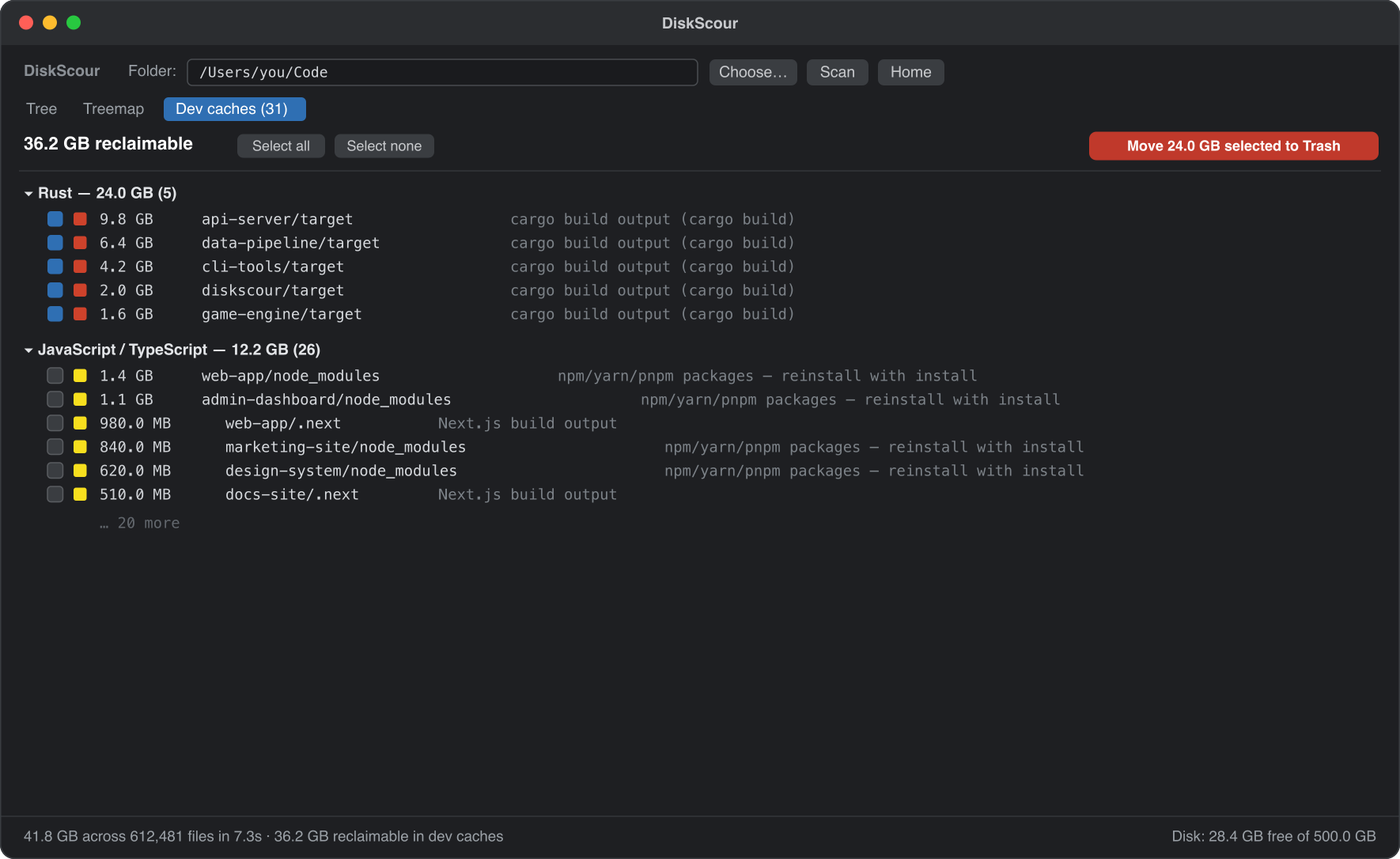
Caches are matched in context, so a target/ only counts next to a Cargo.toml, and nested caches are de-duplicated.
Tree and treemap
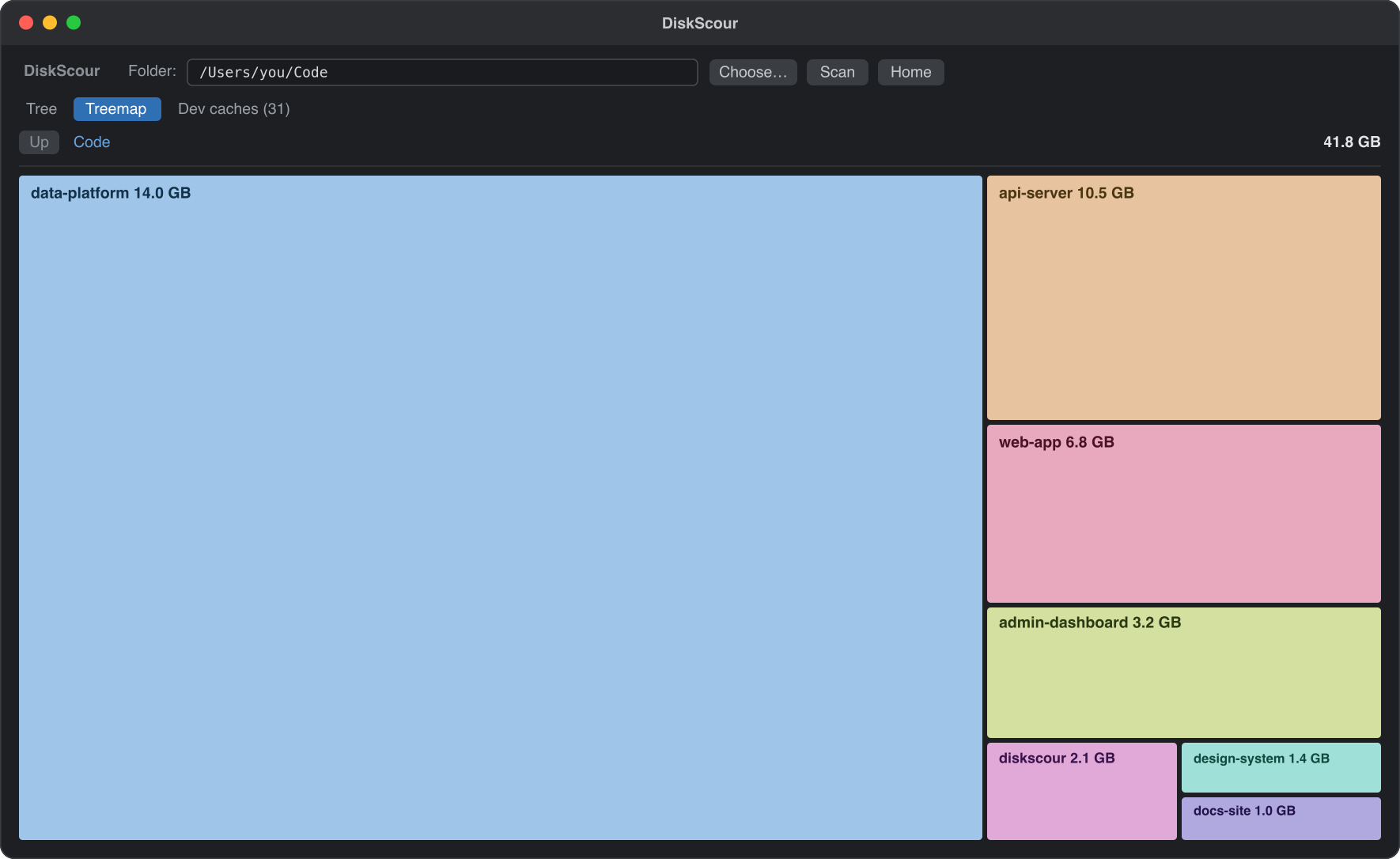
Browse what's actually there as a tree sorted biggest-first, or as a treemap. Click to drill in, hover for details.
What makes the number trustworthy
Scan once, query often
The first scan of a folder is a full walk. After that DiskScour keeps a small index in ~/Library/Caches/com.pathors.diskscour/ and asks the macOS FSEvents log what changed since, so a rescan only walks the directories that moved.
Any doubt about the event history falls back to a slower strategy, and every result says which strategy produced it. --full forces a full scan, and an index older than a week does one on its own.
The reclaimable number means what it says
On APFS a block can belong to several files at once. clonefile(2), which bun install and cp -c use, shares blocks between copies, and du counts those blocks once per file. DiskScour reads the private size instead, ATTR_CMNEXT_PRIVATESIZE via getattrlistbulk(2): the bytes deleting the file would actually free.
Both numbers are shown, and anything whose apparent size is mostly shared says so.
It won't delete a tool you're using
A target/ directory is regenerable, unless a binary in target/release/ is reached from a symlink on $PATH or from a running process. DiskScour refuses those and says why.
skipped  …/patchbay/target  (in use: …/target/release/patchbay-mcp
                             (a process is running from it) and 1 other executable(s))
--allow-any does not lift it. This is a guard against the common cases, not a proof of safety.
Everything is Trash, never a hard delete
Selected items go to the macOS Trash, recoverable, always behind a confirmation. There is no hard-delete path. Every target is re-checked against the filesystem at the moment of deletion, so a stale index can't cause the wrong thing to go.
From the terminal
No window, just the numbers. --json works on scan, caches, status and trash.
$ diskscour scan ~/Github
$ diskscour caches ~/Github --json --min 1000000000   # every cache over 1 GB
$ diskscour status                                    # what's already indexed
$ diskscour trash ~/Github/some/target                # previews; add --yes to do it
~/Github, 140.9 GB across 5.1M files

  first scan   67.51s   full
  rescan        0.66s   events · 4 directories changed
diskscour --help lists the lot.
Use it from Claude Code
DiskScour speaks MCP over stdio, so a coding agent can read the scan results and clean up without parsing text.
$ claude mcp add diskscour -- /usr/local/bin/diskscour mcp
That adds six tools: ds_status, ds_scan, ds_caches, ds_top, ds_tree and ds_trash. Reads are served from the index rather than by scanning, so asking is cheap. A whole-disk scan of / runs in the background, and ds_scan reports progress until it is done.
ds_trashpreviews by default and deletes nothing withoutconfirm: true.- Only recognised regenerable caches are accepted. Anything else needs
allow_any. - Targets must sit inside an indexed root.
- Every target is re-checked against the filesystem at the moment of deletion.
- Deletion always means the macOS Trash.
Claude Desktop
Add the same server to claude_desktop_config.json.
{
  "mcpServers": {
    "diskscour": {
      "command": "/usr/local/bin/diskscour",
      "args": ["mcp"]
    }
  }
}
Install
- Download the zip from Releases and unzip it.
- Move DiskScour.app to /Applications.
- First launch: right-click the app and choose Open, or run
xattr -dr com.apple.quarantine /Applications/DiskScour.app.
Or build from source:
$ cargo install --git https://github.com/pathorsAI/diskscour